Quishing: How QR Code Scams Work and How to Spot One
Quishing is phishing with a QR code. Real cases from parking meters to fake tickets, how to read the hidden address before you tap, and what to do after a scan.

You can read a normal link before you click it. A QR code takes that away. It is a web address printed as a grid of small squares, and no human eye can tell where it leads. Quishing lives in that blind spot. The word joins QR and phishing, and the goal is the old one: get you onto a fake page and make you type in something a stranger can use.
The method itself is plain phishing. What changed is where it meets you. The codes turn up on parking meters, on tickets tucked under a wiper blade, on cards in packages nobody ordered, and in emails that a filter would have caught if they had carried an ordinary link. Below we look at cases that really happened, at how to make the hidden address visible, and at what to do if you already scanned one.
What quishing is
A QR code is a small container for text. Usually that text is a web address. It can also hold a Wi-Fi password, a phone number or a calendar entry. Your camera decodes the pattern and offers the matching action, which for an address means opening it in the browser. Nobody wants to type a long URL while standing at a meter in the rain. That convenience is why the format took off.
A quishing scam swaps what sits in the container. On a parking meter, someone puts their own sticker over the real code. On a letter or an email, they print their own from the start. The page behind it is dressed up as the city, the parking company, your bank or a courier. Whatever you enter there goes straight to the people who built it. Sometimes that is a card number with its security code. Sometimes it is a banking login. Often it is just a name, an address and a phone number, which sell well enough.
The US Postal Inspection Service lists the targets without drama. Usernames and passwords, Social Security numbers, dates of birth, card numbers and PINs are all on it. Each of them can be turned into fraud later.
Why the trick works
With a link in an email you can hover and see where it points. With a printed square you can’t. Before you scan, all you have is the context around the code, and that context is the part the scammer designed.
Then there is the device. QR codes get scanned with a phone, even when the code sits in an email you opened on a laptop. The whole exchange moves away from a big screen with a mail filter and a visible address bar. It lands on a small display where the address slides out of view as soon as the page loads. Mail filters have a problem of their own here. They are built to inspect links in text, and to many of them a picture of little squares is just a picture.
Physical things also still enjoy a trust that emails lost long ago. A sticker on a city meter looks as if the city put it there. A ticket under your wiper looks official. Few people expect a scammer to spend money on printing and postage. Years of restaurant menus and boarding passes did the rest, and scanning turned into a reflex.
Where the fake codes turn up
Every case below comes from a public warning by a city, a police department, the FBI, the FTC or the Postal Inspection Service. Taken together they show how far into ordinary errands the method has crept.
Parking meters in Austin
In early January 2022, the Austin Transportation Department found fake QR code stickers on 29 of the city’s roughly 900 public parking pay stations. Local outlets such as Fox 7 and KXAN reported on it. One detail made the case unusually clear. Austin did not use QR codes on its parking machines at all. Drivers paid with coins, cards or the city’s own app. So every code on those meters was fake by definition, and anyone who scanned one to pay may have landed on a fraudulent payment page.
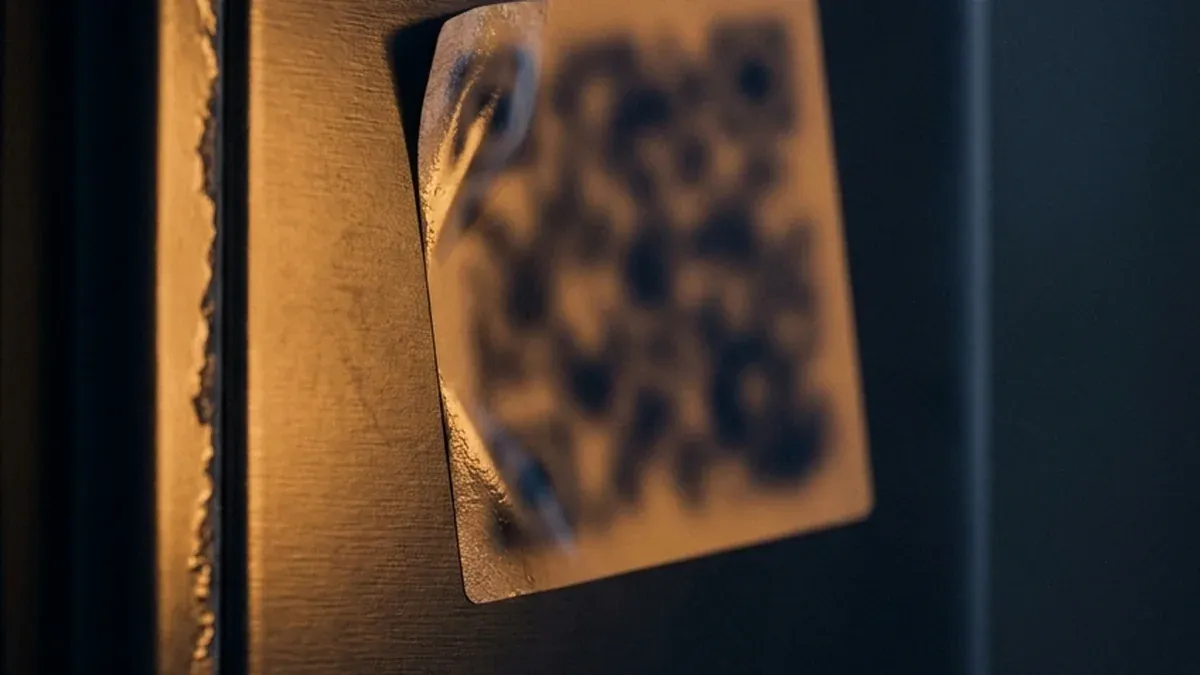
The FBI published a public service announcement that same month. Criminals, it said, were tampering with QR codes to send people to malicious sites that steal login and financial data. The warning covered printed codes and digital ones alike.
What Austin shows is how cheap the attack is. It takes a sheet of stickers, a copied payment page and a short walk downtown. The fee at a meter is small, so nobody thinks twice before entering a card number for it. That card number is the actual prize.
Tickets under the wiper
The next variant skips the machine entirely. In July 2024, police in Alhambra, California, warned about printed notices left on windshields. They looked like real parking citations, but their QR code led to a fraudulent site. The department posted a genuine ticket next to a fake one so drivers could compare them.
Houston saw the same thing in April 2025. Fake citations appeared on windshields, each with a QR code for paying the fine. The city answered with one plain statement: its real parking tickets carry no QR code for payment. That sentence is worth more than any checklist. Where a city says it, the code itself is the proof.
A fake ticket plays on a feeling most drivers know. You come back to the car, see paper under the wiper and want the problem gone. Paying right there feels like the responsible thing to do.
Packages and delivery cards
The FTC names “we couldn’t deliver your package” among the usual stories that come with a QR code by text or email. Others are a supposed problem with your account, or a security alert that demands a new password.
The Postal Inspection Service describes a physical version as well. A small gift arrives in a package you never ordered. Inside is a card with a code you are asked to scan to “register” the item. The page behind it wants personal or financial details. It’s an odd feeling to be scammed through a present, and that oddness is part of why it works.
Emails with a code instead of a link
This version aims at inboxes. The message says your password expires today, your account needs checking, or a document is waiting for your signature. Where a button would normally sit, there is a QR code. The filter lets the image through. You pull out your phone, and from there the phishing runs as usual.
Posters and flyers
USPIS also warns about codes on posters in busy public places. A giveaway or a paid survey rarely asks for a bank login. It collects your name, address, email and phone number. The haul looks small, yet it feeds the next scam aimed at you.
| Pattern | Where you meet it | What the page wants | Where it falls apart |
|---|---|---|---|
| Sticker on a meter | Parking pay station | Card details for a small fee | Sticker over printed parts; some cities use no codes at all |
| Fake parking ticket | Windshield | Payment of a “fine” | Look up the citation number on the official city site |
| Delivery text or card | Phone, inbox, unsolicited parcel | Card details, personal data | Real parcels can be tracked with your own tracking number |
| Account or password alert | Email inbox | Your login | You asked for nothing, so type the address yourself |
| Giveaway poster | Transit, public places | Name, address, phone number | Ask the organizer through a site you found yourself |
The thread through all of them is the one we described for smishing and scam texts. You already mean to do something, and someone offers a handy shortcut. With quishing the shortcut is simply harder to inspect.
How to spot a quishing code before you tap
The helpful part is already built into your camera. Current iPhones and most Android phones don’t open a scanned link by themselves. They show a small preview of the address, usually as a banner near the bottom of the frame, and wait. At that moment the code stops being a mystery. You can read where it leads, and then you decide.

Some cameras show only the domain, the name of the site without anything after it. That is enough, because the domain is what counts. Say you scan the code on a meter in a town whose website you know. The banner should show that site, or the parking app the meter advertises on its housing. If it shows a made-up name with words like pay, park or secure bolted on, you are looking at somebody else’s page. The same goes for a familiar name with one letter changed. The FTC advises checking for that letter by letter.
It also pays to read what comes after the ending. An address like brand.com-verify.net belongs to com-verify.net, and the brand at the front is decoration. What matters is the last name before the first slash. Shortened links deserve suspicion too. A shortener hides the destination a second time, and a city has no reason to print one on its own meters.
Then look at the page itself. If it wants a login, a card number or an app download within seconds of opening, close it. A countdown timer on top only makes the case clearer.
Finally, look at the code with your own eyes. A code printed on the housing came with the machine. A sticker can come from anyone. If one sits on top of another, peels at the edges or was put on crooked, you don’t need to read any address.
There is an honest limit to all this. A clean address proves nothing. Scammers register domains that are nearly identical to the real one, and our piece on spoofing shows how far that imitation can go. Reading the address catches the crude bulk of quishing. Against a careful fake, only the other route helps.
The other route
The most reliable rule against quishing is short. Ignore the path the code offers and take one you already know.
At a meter, that means paying by card or coins, or opening the parking app you already have and picking the zone by hand. The code saves you maybe ten seconds. That is a poor trade if the code might be covered.
A ticket that feels wrong can wait a day. Look the citation up on your city’s own website, or call the parking office on a number you found yourself. A real fine will still be there tomorrow. A fake one has lost its whole purpose by then.
With a delivery message, go to the carrier’s site directly and enter the tracking number from your order confirmation. If something went wrong, you’ll see it there.
When your bank seems to want something, sign in the way you always do, through the app or a bookmark. If you’d rather call, use the number printed on the back of your card. Never the one in the letter.
One rule holds everywhere. Don’t install an app because a code told you to. Apps come from the official store, and you search for them there by name. This matters most on Android, where installing from outside sources is possible and some scams walk you through it step by step.
You also don’t need a special scanner app with a built-in “safety check”. Many of them ask for broad permissions and pay their way with ads or data. Your camera already shows the address. Reading it stays your job either way.
If you already scanned it
The good news comes first, because it is usually true. Scanning alone does no harm. Neither does briefly opening a page, as long as you typed nothing and installed nothing. A scam page needs your help to get anywhere. How far you went decides what to do now.
If you scanned, saw a strange address and backed out, you’re done. If the code sat on a meter or a sign, tell whoever runs it. City meters usually carry a phone number for reports.
If you typed a password, change it now. Do it through the official app or an address you type yourself. Change it anywhere else you reused it, and switch on two-factor sign-in where you can.
Card details are more urgent. Call the number on the back of the card and have it blocked. Then go through your recent charges and dispute anything you didn’t make. The sooner you call, the less time the stolen number has to be used.
An installed app needs a little more care: take the phone offline and uninstall it. Check in the settings whether it got device administrator or accessibility rights, and remove those first. Change your passwords afterwards from a different device. Signs that more went wrong are covered in has my phone been hacked.
If you lost money, report it to the FTC at ReportFraud.ftc.gov. When the scam used the Postal Service as cover, the Postal Inspection Service takes reports at [email protected]. For bigger losses, file with your local police as well. Keep whatever you have: a photo of the sticker, the fake ticket, the page address, the statement with the charge.
The FTC warns about one more thing. Don’t contact anyone through the suspicious page to sort it out. Whoever answers is part of the scam and has just been handed a second chance.
What it comes down to
Quishing is phishing with a link you can’t read. That is all the novelty there is. Under the hood it works like any scam email, and it can be stopped at the same point. Your camera shows the address before anything opens. Whether you tap is up to you.
One habit covers most situations. When a code wants money, a login or an app from you, ask whether you already know another way there. Usually you do, whether it is the parking app on your home screen or the bank in your bookmarks. The code is then only a shortcut you can skip, and you never quite know who stuck it there.
Frequently asked questions
- What is quishing?
- Quishing is phishing delivered through a QR code. The name simply joins QR and phishing. Instead of a link you could read, you get a square pattern with a web address hidden inside. That address leads to a copy of a real site, where you are asked for a card number, a login or personal details. The codes turn up as stickers on parking meters, on fake parking tickets, in emails and on cards in packages you never ordered.
- Is it dangerous to just scan a QR code?
- Almost never. A QR code holds a short piece of text, usually a web address, and your phone reads it. Most camera apps then show the address and wait for you to tap. The risk starts afterwards, when you open the page and type in data, pay or install something. If you scanned, read the address and backed out, you gave nothing away.
- How can you tell if a QR code is fake?
- Look at where it sits and where it points. A sticker over a printed code, peeling at the edges or stuck on crooked, is a warning sign by itself. The more reliable test is the address your phone shows after scanning. Does the domain belong to the city or company you expected? Or is it an unfamiliar name, a shortened link, or a real brand with extra words glued on? A page that asks for a login or payment within seconds is reason enough to close it.
- What should I do if I scanned a scam QR code?
- That depends on how far you got. If you only scanned or opened the page and left, close it and you are done. If you entered a password, change it through the official app or a site you type yourself, and anywhere else you used it. If you entered card details, call the number on the back of your card, have it blocked and check recent charges. Then report the scam at ReportFraud.ftc.gov, or to [email protected] if it used the Postal Service as cover.
- Do real parking tickets have a QR code to pay?
- It depends on the city, which is exactly why you should check. When fake tickets with QR codes appeared on windshields in Houston in April 2025, the city stated that its real parking citations carry no QR code for payment. If a ticket feels off, look up the citation number on your city's official website or call the parking office on a number you found yourself. A real fine will still be there tomorrow.
Continue reading
How to Spot a Phishing Email When It Looks Perfect
How to spot phishing email even when the grammar is flawless: the checks that still work, what to do after a click, and where to report it in the US.
Passkey vs Password: What Changes When You Stop Typing Secrets
Passkey vs password, explained without hype: what a passkey is, why phishing fails against it, and what happens when your phone is lost or you switch.
Smishing: How Text Message Scams Work and How to Spot Them
Smishing is phishing by text message. Why the trick fails in your inbox but works on your phone, how to read a scam text in seconds, and where to report one.