Google Dorks: What Search Finds That Nobody Meant to Share
Google dorks are search operators like site: and filetype:. How they work, what a small New York dam has to do with them, and how to run them on yourself.

People who hear about Google dorks for the first time tend to imagine some
kind of underground tool. It is just Google, the same search box as always, with
a few extra commands in front of the words. Put site: before a domain and the
search stays on that one website. Add filetype:pdf and you only get PDFs. Wrap
a phrase in quotation marks and Google has to match it exactly. All of this sits
in Google’s own help pages.
The technique still carries a reputation that sounds like breaking and entering. The reason is simple. Google indexes whatever is left out in the open, and far more is left out than most site owners realize: a member roster in a club’s downloads folder, job applications on a forgotten server, the control computer of a small dam in Westchester County.
This piece covers what a few search commands can bring to the surface and why the very same commands are the best tool you have for checking what the web shows about you, your business or the nonprofit whose website you volunteered to maintain.
What Google dorks actually are
A normal search is a request. You type a few words, and Google decides what fits, adds synonyms, fixes typos and ranks things as it sees fit. Search operators turn the request into an instruction. You decide where to look, which file format counts and where on the page a word has to appear.
The word “dork” came out of the security world. In December 2002 a researcher named Johnny Long began collecting search queries that turned up vulnerable systems or data that had been published by accident. He called them googleDorks, and the dorks in question were the site owners, not the people searching. In 2004 the list became the Google Hacking Database. Since 2010 the security company OffSec has maintained it as part of Exploit-DB, where thousands of queries now sit sorted by category.
What that collection mostly proves is that the weak spot is almost never Google. The search engine reads whatever a server hands out without a password, and it remembers. Put a spreadsheet of customer records in a public folder and you have published it, even if publishing was never the plan. Google only makes that publication easy to find.

A Google dork cheat sheet for your own footprint
You do not need many. A handful covers nearly everything useful for checking
yourself, and they all follow one pattern: command, colon, term, no space in
between. site:example.com works. site: example.com does not.
| Operator | What it does | Self-check example |
|---|---|---|
"…" | matches the exact phrase | "Jane Doe" |
- | excludes a term | "Jane Doe" -basketball |
site: | searches one domain only | site:example.com |
filetype: | searches one file type only | site:example.com filetype:pdf |
intitle: | word must appear in the page title | intitle:"Jane Doe" |
inurl: | word must appear in the address | site:example.com inurl:uploads |
before: / after: | narrows by date | "Jane Doe" after:2024 |
Quotation marks are the most underrated of the lot. Without them, Google looks for Jane and for Doe somewhere on the page and happily throws in related words. With them, the exact sequence has to be there. The minus sign cleans up after that. If there is another Jane Doe who coaches basketball two states over, you drop the sport and she mostly disappears.
The site: operator is where it gets interesting. A search for
site:example.com lists what Google holds from that domain. Google’s own
documentation cautions that the list is not complete and that without an extra
search term the order is fairly random. As a first look it still works. Combine
it with filetype:pdf, filetype:xlsx or filetype:docx and you see the
documents sitting on a website, which is exactly where plenty of site owners get
an unpleasant surprise.
intitle: and inurl: are finer instruments. They ignore the body text and
look at a page’s title or its address. Folders with names like “internal”,
“archive” or “uploads” show up this way even when nothing links to them, as long
as Google found them at some point.
One command appears in every older tutorial and no longer does anything.
cache: used to open Google’s stored copy of a page, even after the original
was gone. In February 2024 Google’s search liaison Danny Sullivan confirmed the
cache feature was being retired, and the operator went with it.
The dam in Rye
A case from 2013 shows how far a search can reach. On Blind Brook in Rye, New York, a suburb in Westchester County, sits the Bowman Avenue Dam. The New Yorker described it as twenty-two feet tall and a hundred and twenty-two feet long, tucked in the woods up the street from a middle school. In June 2013 local officials had cut a ribbon on a new sluice gate that cost about two million dollars and was meant to help with flooding in a nearby neighborhood.
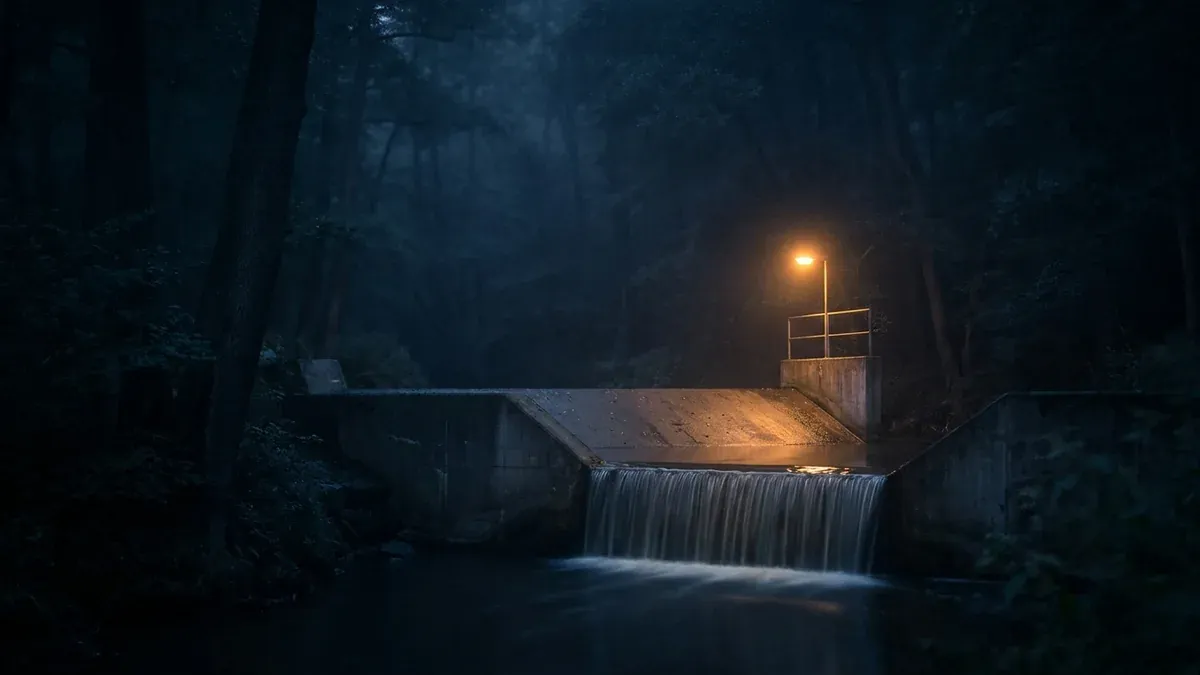
Between August 28 and September 18, 2013, according to the Justice Department, an Iranian man named Hamid Firoozi repeatedly got remote access to the computer that ran the dam’s control system. He could read water levels, water temperature and the status of the new gate. He could not move it. At the time, the gate had been manually disconnected for maintenance.
The intrusion became public on March 24, 2016, when federal prosecutors in Manhattan unsealed an indictment against seven Iranians said to work for companies tied to the Islamic Revolutionary Guard Corps. The main charges concerned attacks on 46 banks and financial firms. The dam was a side count, but it drew most of the attention.
Days later the Wall Street Journal reported, citing people familiar with the investigation, how Firoozi had allegedly found the dam: through Google dorking. He had reportedly spent months running targeted searches for poorly protected hardware at infrastructure sites and stumbled on the machine in Rye. Local officials were puzzled. One theory held that he had mixed up the little dam with the far larger Arthur R. Bowman Dam in Oregon. Rye’s city manager told the New Yorker he thought the intruders had simply been fishing. They went in a couple of times, looked around, left and never came back.
Firoozi remains on the FBI’s wanted list and is believed to be in Iran. What stays with the case is less the intrusion itself than the way it started. Nobody picked this dam from a list of strategic targets. It was simply findable.
Mistakes that Google only makes visible
In July 2014, the Department of Homeland Security, the FBI and the National Counterterrorism Center had already sent a restricted bulletin to police and security agencies. Its title was “Malicious Cyber Actors Use Advanced Search Techniques,” and it warned that searching by file type and keyword could turn up usernames, passwords, email lists and sensitive documents. The practical advice boiled down to checking your own websites.
A case from the year before shows what that looks like. In 2013 a Scripps News reporter, by his own account, ran a Google search and found applications for Lifeline, the federal program that subsidizes phone service for low-income households. The files sat on an open server, complete with Social Security numbers, copies of driver’s licenses and home addresses. The two carriers involved, TerraCom and YourTel, responded with a lawyer’s letter calling the journalists hackers, because they had used a download tool called Wget to fetch the files.
The Federal Communications Commission saw it differently. In October 2014 it proposed a ten million dollar fine, saying the companies had exposed the personal data of up to 305,000 people on servers anyone in the world could reach. The FCC called it the largest privacy action in its history. In July 2015 the carriers settled for 3.5 million dollars. The search engine had harmed no one here. It had only shown what had been sitting in the open for months.

Google is not the only engine that plays this role. On the evening of July 4, 2018, Russian users noticed that the search engine Yandex was showing Google Docs files in its results, including spreadsheets with passwords, card numbers and internal company material. The news site Meduza explained how the documents got there. Their owners had shared them via link, and those links had surfaced somewhere. Yandex said it only indexed the open part of the web and pulled the results within hours. Sharing by link had felt private. It never was.
Running Google dorks on yourself
This is where the perspective flips. Once you understand how Google dorks work, you have a remarkably good tool for auditing your own trail. The same searches other people use to look for open doors tell you whether yours are open. How these searches fit into a wider investigation is the subject of our overview what is OSINT.
Start with yourself, signed out or in a private window so Google does not serve
you a personalized bubble. Put "Jane Doe" in quotation marks, then add your
city, employer, high school or the club you belong to. We cover this name search
in much more depth, including people-search sites and how to opt out, in our
guide to searching yourself online.
Then move on to files. "Jane Doe" filetype:pdf pulls up city council minutes,
5K race results, church bulletins, school board packets and old reunion
programs. Most of it is harmless. Some of it includes a home address, a birth
date or a phone number you never expected to see there. The same goes for
filetype:xlsx and filetype:docx, just less often.
If you run a website for a small business, a practice, a PTA or a homeowners
association, type site:example.com filetype:pdf once and go through the list
slowly. The usual suspects are member directories in a downloads section, price
sheets with internal discounts, old newsletters with visible recipient lists and
board minutes that were meant for the meeting only. Searches like
site:example.com inurl:uploads or inurl:internal surface folders whose names
already say they do not belong in search.
One boundary belongs here, stated once. Searching your own site or your own name is fine. If a search lands you on someone else’s credentials or control panel, stop there and tell the owner, because using what you found to log in is where federal and state computer crime laws come into play.
How things leave Google again
Finding something is only the start. What you can do next depends on who owns the page.
If the file sits on your own website, it is easy. Delete it or put the folder behind a password, then submit the address for removal in Google Search Console so it drops out of results faster. Skip that step and it can take a while until Google notices on its next visit that the file is gone.
Many site owners reach for robots.txt at this point, a kind of house rules file that asks search engines to stay out of certain areas. Google itself warns against relying on it. Its documentation says robots.txt is mainly there to keep crawlers from overloading a server and is explicitly not a way to keep a page out of Google. A blocked address can still show up in results, just without a description, if other pages link to it. There is a side effect too. Anyone can read a robots.txt file, and a line that says “please stay out of /internal” reads to a curious visitor like directions.
The more reliable instruction is noindex. It lives in the head of a page or is sent along by the server and tells the search engine it may read the page but must not list it. For anything truly confidential, the rule is the one that would have helped in Rye as well: if it should not be public, it belongs behind a login.

It gets harder when the page belongs to someone else. The first route runs through the site owner. A club or school that posted a list with your address will usually take it down after a polite email, especially once you point out that the file is showing up in search.
The second route runs straight to Google. The Results about you feature in your Google account lets you enter your name, home address, phone number and email address. Google then checks search results for them on a regular basis and notifies you when new ones appear, and you can request removal of individual results right there. Google makes exceptions for pages it considers to be in the public interest, such as government and education sites, news outlets and business websites. What Google stores about you on its own servers is a separate question, and we took it apart in what Google knows about you.
None of these routes deletes the file from the world. A removal takes the result out of Google, the page itself stays reachable, and other search engines follow their own rules. A file is only truly gone once it is deleted on the server. Even then, a copy may still sit in the Wayback Machine.
The takeaway
Google dorks sound like a hacking tool and are really just a precise way of asking. The search engine cannot tell a person hunting for open doors from a person trying to close their own. Both get the same results.
The dam in Rye, the Lifeline files on the TerraCom server, the Google Docs in a Russian search engine: in none of these cases did a search break anything open. It showed what was already exposed, often for months. Spend half an hour running these commands on yourself, your name, your domain, the nonprofit whose board you sit on, and you will learn more about your trail online than any privacy setting will tell you. Usually the result is reassuring. Once in a while you find a list you are glad you saw before a stranger did.
Frequently asked questions
- What are Google dorks?
- Google dorks are searches built with special commands called search operators. Instead of typing plain words, you tell Google to look only on one website (site:), only for PDF files (filetype:pdf), or only for pages whose title contains a certain word (intitle:). The name comes from the security community, where people have been collecting such queries since the early 2000s. There is nothing secret about the technique itself. Google documents most of the operators in its own help pages.
- Is Google dorking illegal?
- Searching is legal. You are using a public search engine and the features it offers to everyone. What matters is what comes next. If a search leads you to someone else's passwords, customer records or an exposed control system and you use them to get in, you are in Computer Fraud and Abuse Act territory. Running the same searches on your own name, your own domain or your own organization raises no such question.
- Where can I find a Google dork cheat sheet?
- The most useful cheat sheet is short. Quotation marks for an exact phrase, a minus sign to exclude a word, site: to stay on one domain, filetype: for a file format, intitle: and inurl: for words in the page title or address, and before: and after: to narrow by date. Google lists most of these in its Search Help. Large public collections such as the Google Hacking Database exist too, but they are built to find other people's weaknesses, which is a different job from checking your own footprint.
- How do I see what Google shows about me?
- Search your name in quotation marks while signed out or in a private window, then add your city, employer, school or club. After that, repeat the search with filetype:pdf, because meeting minutes, race results and member lists often live online as PDFs. Google also offers a feature called Results about you in your account. It looks for your home address, phone number and email address in search results and can alert you when new ones appear.
- How do I stop Google from indexing a file?
- The safest option is not to put it in a public place at all, or to protect the folder with a password. For pages that should stay public but out of search, use a noindex directive. A robots.txt file is not enough on its own, and Google says so in its documentation. If a file is already indexed, the site owner can delete it and use Search Console to speed up its removal from results.
Continue reading

What Is OSINT? Open Source Intelligence From the Target’s Side
What is OSINT? The OSINT meaning explained from the side of the person being researched: how attackers build a profile and how to check your own trail.

Metadata — What Your Files Give Away About You
Metadata is data about data. Why it exposes you is shown by three real cases: a photo, a floppy disk, and one sentence from a former NSA director.

Username Search: How One Handle Ties All Your Accounts Together
A username search can link your gaming profile, old forum posts and dating account. How it works, what WhatsMyName finds, and how to check your own handle.