How to Permanently Delete Data (Emptying the Trash Is Not It)
To permanently delete data you need the right method per medium: overwrite a hard drive, secure-erase an SSD, factory-reset an encrypted phone, and know when to destroy.

Selling an old laptop or handing a phone to a relative usually involves the same ritual: drag everything to the trash, empty it, done. The machine looks clean, and that appearance is exactly the trap. To permanently delete data you have to do more than remove the entry in a folder view, because deleting a file normally just cuts the reference to it while every byte of the content stays on the storage, waiting to be overwritten at some unknown point in the future. Until that happens, a free recovery tool can pull it back in minutes.
This article walks through what deletion actually does under the hood, and then through the correct method for each kind of storage: magnetic hard drive, SSD, smartphone, cloud accounts, and data that other companies hold about you. At the end sits the question that rarely gets an honest answer: when software is no longer enough and the only reliable tool left is a hammer.
What deleting a file really does
A file system is, at its core, a table of contents. Delete a file and the system strikes the entry from that table and marks the space as available. The content itself, the actual bytes of your photo or your tax return, stays put until something new happens to land on the same spot. On a drive that is half empty, that can take weeks.
Recovery software builds on precisely this gap. It skips the table of contents, reads the raw storage sector by sector, and reassembles complete files from the fragments left behind. When you have just deleted your holiday photos by accident, this is a blessing. When you have just sold your laptop, it is a leak.
Secure deletion turns the logic around: instead of removing the reference, it makes the content itself unusable. There are two ways to get there, either by writing over it or by throwing away the key that would be needed to read it in the first place. Which of the two applies depends entirely on how the storage is built.

Hard drives: one full overwrite does it
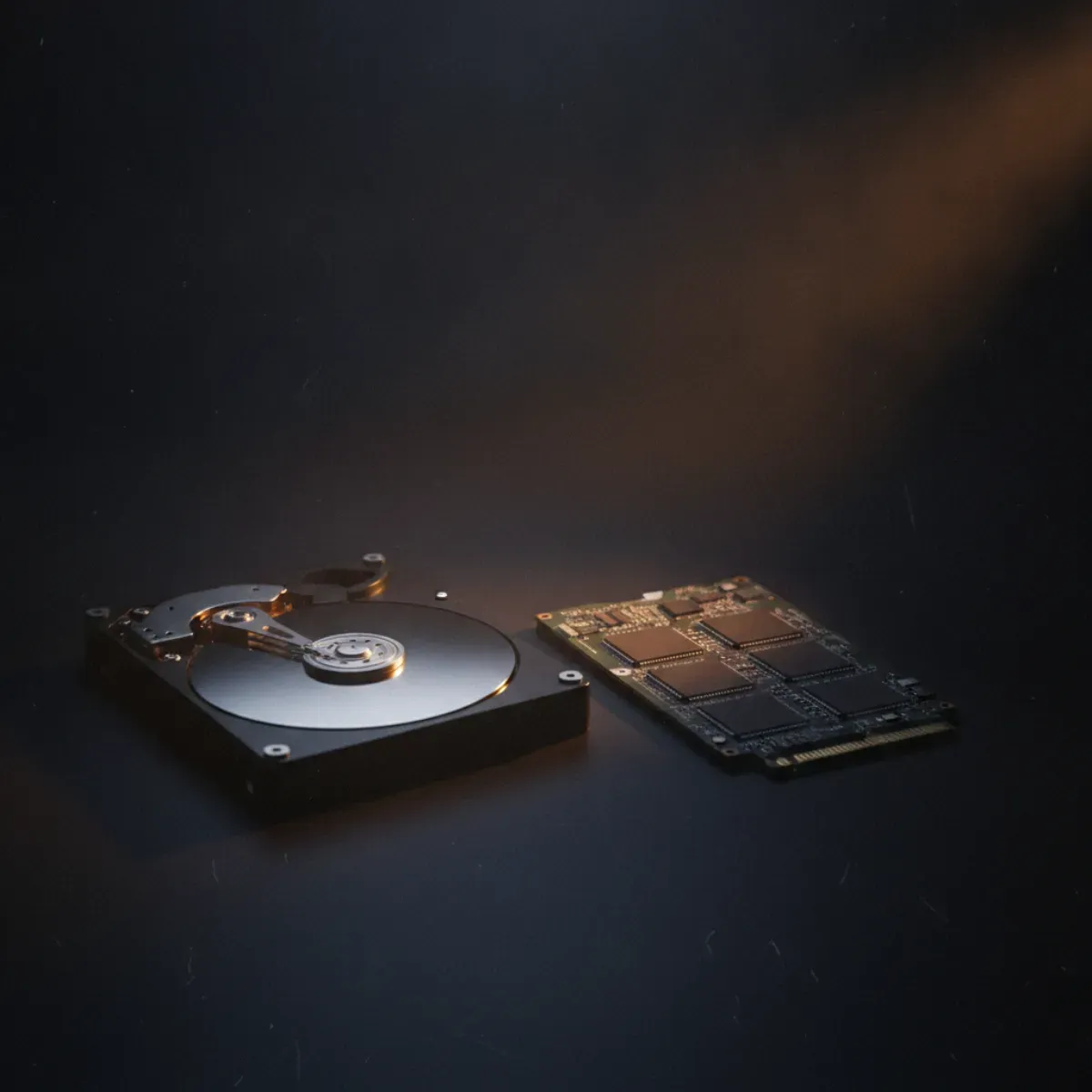
The classic magnetic hard drive is the friendliest case because it behaves predictably. Every location can be addressed and overwritten directly. Fill the whole drive once with zeros or with random data and the old contents are gone for any practical purpose.
You may still run into the old advice about seven passes, or thirty-five. That number comes from the nineties and from laboratory reasoning about drive technology that has not existed for decades. For modern drives, a single complete pass is sufficient, and national security agencies such as Germany’s BSI say as much for everyday use. Extra passes buy you nothing except time and wear.
The tools are free. DBAN is the best-known one; you boot it from a USB stick and it wipes the entire drive outside of any running operating system. That last detail matters more than the tool choice. Wiping from within a running system always leaves out the system files and often hidden areas of the disk. A wiping tool that boots before the operating system reaches everything.
How to permanently delete data on an SSD
On an SSD, the method that works so reliably on magnetic drives falls apart, and the reason sits in the drive’s internal bookkeeping. To spread wear evenly across its cells, the controller redirects every write to constantly changing physical locations. So when you think you are overwriting a particular file, your overwrite pattern actually lands somewhere else entirely, while the original sits untouched in another cell.
That makes file-by-file overwriting on an SSD pointless, and it also explains why TRIM, which comes up in every forum thread on the subject, is not a security feature. TRIM merely tells the drive which blocks are no longer needed so it can tidy them up in the background whenever it feels like it. Whether and when that happens is the controller’s decision alone. As a guarantee that something specific is gone right now, TRIM is worthless.
The correct tool is called Secure Erase. It is a command the SSD itself understands, and it resets the entire internal mapping, in most drives by discarding the internal key with which the cells are encrypted. You trigger it through the manufacturer’s utility (Samsung Magician, Crucial Storage Executive and their siblings) or through system tools that pass the ATA command through. Afterwards the SSD is in the state it left the factory in, and the old contents cannot be reconstructed.
Phones: the easiest case of all
For all the complexity of the computer cases, the phone is refreshingly simple, and encryption is the reason. Every iPhone since about 2014 and practically every mainstream Android device since 2015 encrypts its storage by default. Every photo and every message exists on the chip only in encrypted form from the first second, protected by a key the device keeps in a dedicated hardware enclave, a key you never see.
A factory reset on such a device does not laboriously overwrite the whole storage. It throws that one key away. Without the key, the entire encrypted content is nothing but noise, and no amount of recovery software changes that. This is called cryptographic erasure, and it is why a reset finishes in seconds rather than hours. What remains on the chip cannot be decrypted in any meaningful timeframe.
Two things still need to happen beforehand, or the handover goes wrong:
- Sign out of your accounts. On Android, an active Google account triggers Factory Reset Protection; on Apple devices, Activation Lock does the same through your Apple ID. Skip this step and the phone is bricked for the next owner, and in some setups account-bound remnants stay reachable.
- Confirm that encryption is on. On current devices it is the default. On very old or unusually configured ones, a quick look into the settings is worth it, because discarding a key achieves nothing if there never was one.
One popular search query gets answered along the way: wiping an old phone without a SIM card. The SIM has nothing to do with the data on the device. It holds at most a few old contacts and your identity towards the mobile network. Pull it out and take it with you; the factory reset runs completely independently of it.

And the computer? Encryption is not a given
The neat phone trick, discarding the key instead of overwriting the storage, rests on one condition: the device has to be encrypted in the first place. On a phone that is a safe bet. On a computer it is not. iPhones and iPads encrypt in hardware with no off switch. A Mac with Apple Silicon does keep its data encrypted, yet the real protection against readout only kicks in once FileVault is turned on, and the setup assistant lets you skip straight past it. On an Intel Mac, without FileVault there is no encryption at all. Windows 11 has, since version 24H2, switched on device encryption during a clean install, but only with TPM 2.0 and Secure Boot, and the protection stays dormant until you sign in with a Microsoft account; a local account leaves it suspended. Windows 10 encrypts automatically only on qualifying hardware, and the Home edition never fully supported classic BitLocker, so plenty of those machines ran wide open. If a computer was never encrypted, the quick reset buys you nothing against readout, and you are back to overwriting the drive or running a secure erase. Before you pass a computer on, spend the few seconds to check whether encryption was actually running.
Cloud and online accounts: deletion you cannot perform yourself
Everything so far concerned hardware you own. The cloud works differently, because someone else runs the storage. Delete a photo from a service and it vanishes from your view, but what happens on the provider’s servers and in their backup copies is outside your reach. Reputable providers do purge deleted data from backups after a retention period, but you cannot watch it happen, you can only rely on the stated policy.
For the common question of getting your data out of the big platforms, the lever is therefore a different one than with your own drive. Instead of overwriting anything, you request deletion, and the law stands behind you. The distinction that matters is between deleting individual pieces of content you uploaded and closing the account altogether. Only the latter ends the processing of your core data. As long as the account exists, your profile, connections and history stay on file even after you remove individual posts.
Data held about you by third parties
Sometimes the data sits neither on your device nor with a service you use, but with a company that collected it about you: credit bureaus, address brokers, people-search sites. No overwriting helps here. A legal right does.
The European GDPR grants you the right to erasure in Article 17. Where no lawful basis for processing your data remains, you can demand its removal, and the company has to act without undue delay, at the latest within one month. The catch hides in the phrase lawful basis. A credit bureau may keep certain entries for legally defined retention periods, a settled debt for a fixed stretch of time, for example. Anything beyond those periods, or anything that never had a basis to begin with, can be cleared out.
In practice a plain written request with a deadline is enough. State your name, what the request concerns and by when you expect a reply, and keep the evidence. If a company stays silent, a written reminder helps, and as a last step a complaint to the competent data protection authority, which costs you nothing. The first move, in any case, is knowing who holds what about you, because you can only erase what you can name.
Web archives such as the Wayback Machine keep old pages too, and we explain in a separate piece how to get entries removed.
The right method for each medium
To make the choice easier, here is everything side by side. The residual risk column describes what theoretically remains even after doing everything right.
| Medium | Correct method | Irreversible? | Residual risk |
|---|---|---|---|
| Hard drive (HDD) | One full overwrite (DBAN, secure erase) | yes | very low on a healthy drive |
| SSD / NVMe | ATA secure erase via manufacturer or system tool | yes | low, depends on the controller |
| USB stick / SD card | Secure erase where supported, otherwise destroy | partly | medium, flash behaves like an SSD |
| Smartphone | Sign out, confirm encryption, factory reset | yes | very low with encryption active |
| Cloud / online account | Close the account, request GDPR erasure | not verifiable | you rely on the provider |
| Data held by third parties | Erasure request under Art. 17 GDPR | legally, not technically | retention periods take precedence |
| Burned CD / DVD | Destroy mechanically | yes | none after destruction |
When only physical destruction is left
Software assumes the medium still works. An SSD that no longer responds cannot be told to secure-erase itself, and a hard drive with a dead controller ignores overwrite commands. In those cases, and whenever genuinely sensitive material is involved, the physical route is what remains.
Physical destruction means more than a scratch. On a magnetic drive, the platter itself has to be bent or broken. On an SSD, the individual memory chips are what counts, and each of them needs to be drilled through or smashed. A professional shredding service, or an office shredder rated for hard drives, handles this reliably. For burned discs, a decent shredder or thoroughly destroying the recorded side is enough.
The honest closing note is the same one consumer protection agencies give: a theoretical residual risk stays with every software method, a pass can fail, a region can be skipped. For everyday purposes, for the sold laptop and the handed-down phone, cryptographic or overwrite-based deletion is entirely sufficient, because reconstructing anything would cost far more than the data is worth. Whoever needs absolute certainty destroys the medium. There is no contradiction between the two, just a question of your threat model.

What should stick
Deleting is not one action, it is a question you put to the medium. The recycle bin organises, it does not protect. A magnetic drive gets overwritten. An SSD shrugs that off and wants its own command. A phone simply drops the key. The cloud sits outside your direct control, and there the closed account and the right to erasure carry the weight. Where software runs out, the hammer takes over.
Know these few distinctions and you will never again hand over a device that is still full of readable traces. That is the whole trick, and its price is small: the brief moment in which you stop looking at the empty folder and ask what is really still underneath it.
Once your devices are handled, do not forget the next layer: the accounts and credentials behind them. How much of that now converges in a single place is the subject of our piece on digital identity and who controls it.
Frequently asked questions
- How do I permanently delete data from a hard drive?
- Overwrite the entire drive once with zeros or random data, using a tool that boots from a USB stick such as DBAN, or the built-in secure erase command. One full pass is enough on modern drives. Wiping from inside the running operating system misses system files and hidden areas, so always boot into the wiping tool instead.
- Does emptying the recycle bin delete files for good?
- No. Emptying the bin only removes the pointer to the file. The content stays on the disk until new data happens to be written over it, which can take weeks on a half-empty drive. Freely available recovery software can bring such files back, often completely intact.
- How do I securely erase an SSD?
- Do not try to overwrite it file by file, the controller redirects your writes and the originals survive elsewhere. Use the ATA secure erase command instead, available through the manufacturer tool such as Samsung Magician or Crucial Storage Executive. It resets the internal mapping, usually by discarding the internal encryption key, and leaves the drive in a factory-fresh state.
- Is a factory reset enough to wipe a phone?
- On any reasonably modern phone, yes. iPhones since roughly 2014 and mainstream Android devices since about 2015 encrypt their storage by default. A factory reset discards the encryption key, and without the key everything left on the chip is unreadable noise. Sign out of your Google or Apple account first, otherwise activation lock will trip up the next owner.
- Can data be recovered after a secure wipe?
- Not in any practical sense. After a full overwrite of a healthy hard drive, or a proper secure erase of an SSD, recovery would cost more than almost any data is worth, if it is possible at all. A theoretical residual risk remains with every software method, which is why truly sensitive material on a drive you no longer need is best destroyed physically.
- How do I delete my data from the cloud?
- You cannot wipe the provider’s servers yourself, so the lever is different: delete your content, then close the account entirely, and where European law applies, request erasure under Article 17 of the GDPR. Export your data first, because after the account is gone that door is closed.
Continue reading

Delete Search History: What Goes and What Stays
Delete search history in your browser and only the local trail goes. What Google keeps in your account, what incognito really hides, and who still sees your searches.

Search Yourself Online: What a Stranger Finds About You
Search yourself online the way a stranger would: how to run the lookup properly, who aggregates the pieces, and what US opt-outs and GDPR requests actually achieve.

Bluetooth beacons in stores: can they track your phone?
Bluetooth beacons in stores only send an ID. What it takes for one to locate you, which apps are really listening, and the settings that matter.