AirTag Found Moving With You? What It Means and What to Do
Got an "AirTag Found Moving With You" alert? How to detect an AirTag, save the evidence, decide about the battery, and find trackers your phone misses.

You are walking home from the train, and your iPhone lights up: AirTag Found Moving With You. On Android the wording is a little different and talks about an unknown tracker. The first reaction is a jolt of worry. That is fair, and in most cases it fades quickly, because the cause turns out to be a borrowed backpack or a friend in the passenger seat whose keys carry a tag.
Sometimes it is something else. This guide explains how the alert works and how to detect an AirTag once you have one. It also covers what to save before you switch anything off, and which trackers never trigger an alert at all. If you would rather check who you have shared your location with yourself, see how to stop sharing your location.
Why your phone is warning you
An AirTag has no GPS chip and no cellular connection. It only sends out a faint Bluetooth signal. Any iPhone that passes by picks up that signal, notes its own location and sends both, encrypted, to Apple. The owner then sees on a map where the tag was last spotted. With so many Apple devices around, this works remarkably well, even though the tag itself has no idea where it is.
The same trick that finds a lost suitcase also works when the tag is hidden in someone’s coat. Apple added a countermeasure early on. Your iPhone watches for an unfamiliar AirTag, one that is separated from its owner, that keeps travelling along with you. If that happens for a while, you get the alert. The map inside it shows red dots. Those mark the places where your phone detected the tag near you. They do not show when the owner looked it up.
For this to work, a few settings have to be on: Location Services, Significant Locations, Bluetooth and tracking notifications. In airplane mode the alert will not arrive.
Android users waited a long time. Google only began rolling out its own alert in July 2023, through Play services, for every phone on Android 6.0 or later. In May 2024 Apple and Google shipped a joint industry standard called Detecting Unwanted Location Trackers. Since then, iPhones on iOS 17.5 and newer and Android phones can also flag tags from other makers, provided those makers support it.
The harmless explanations come first
Before assuming the worst, look at the circumstances. Apple and Google both list the common innocent causes on their own help pages. A borrowed item is the classic one, whether it is a backpack, a jacket or a friend’s car keys. So is someone travelling with you who carries their own AirTag while their phone has died. A tag left in the glove box of a shared family car can set it off too.
Ask yourself a few plain questions. Did I take anything of someone else’s today? Was there a person next to me for the whole trip? Does the trail of red dots match where we went together? Quite often a single text to a roommate settles the matter.
AirTag found moving with you: how to find it
Tap the alert, on iPhone or Android. You will see the map and an option to play a sound. The AirTag starts to chirp, usually quietly, and muffled if it is tucked inside something. The owner does not get a notification. If you cannot hear anything, walk a few steps and try again.
Newer iPhones with an Ultra Wideband chip also offer Precision Finding, which points an arrow at the tag and counts down the distance. Android has a similar close-range search where a shape fills in as you get nearer. It only works with trackers on Google’s own finder network, though, not with AirTags. For an AirTag on Android, the sound is your tool.

On Android you can also go looking without waiting for an alert. Open Settings, tap Safety & emergency, then Unknown tracker alerts, and choose Scan now. Google says the scan takes around ten seconds and lists trackers nearby that are away from their owner. A hit alone proves little. It could be a neighbor’s lost keys in the hallway. If the same result keeps showing up in different places, that is worth taking seriously. Android deletes old alerts after 48 hours and sends at most one alert per tracker per day.
Save the evidence before you switch anything off
This is the step people skip most often. Once you hold a stranger’s tracker in your hand, you want it gone. That instinct makes sense. Yet smashing it or tossing it in a trash can may throw away the one piece of evidence you have.
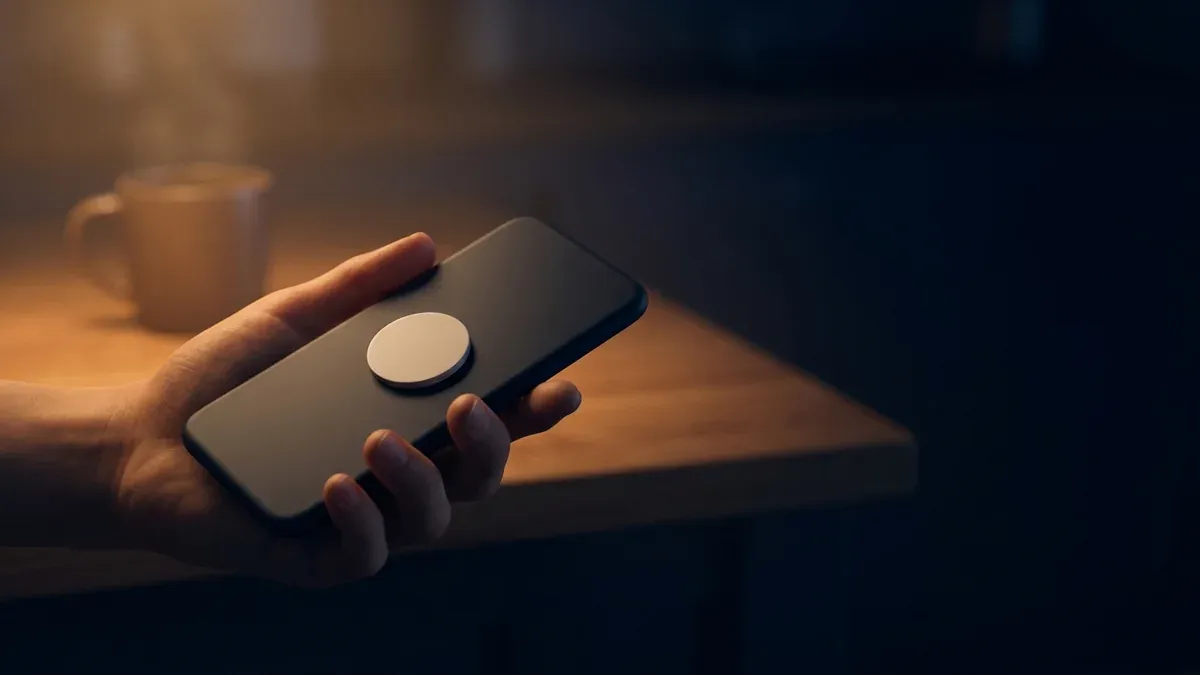
Hold the white side of the AirTag against the top of your iPhone, or against the back of an Android phone with NFC. A page from Apple opens with the tag’s serial number, and below it the last four digits of the phone number the owner registered. Screenshot that page. Screenshot the alert and the map with the red dots as well, since they record where and when the tag was with you. Apple and Google both recommend these screenshots.
With the serial number, law enforcement can request account details from Apple. Apple says as much in its own guidance on unwanted tracking. If you decide to file a police report, that is the information that matters.
Battery out, or leave it in?
An AirTag’s back cover twists off, and the coin cell pops out. After that, the tag goes silent and the owner gets no new locations. It sounds like the obvious fix. There are two catches.
The first is technical. Whatever the tag reported before it went dark stays with the owner. If that last spot is your home, the information is already out. And not every tracker you find is an AirTag. Some trackers from other makers reset to factory settings when they are switched off and lose the link to their owner. After that, even the police cannot find out who the device belongs to. That is why the NFC step comes before you touch the battery, whatever the device.
The second catch is human. A person who is deliberately watching you will notice when the signal disappears. Google’s help page on unknown trackers says plainly that you may choose to keep a tracker on if turning it off could put you at risk. In a tense breakup, or with someone who has already made threats, it can be wiser to contact the police or a domestic violence advocate first and switch the device off with them. There is no universal rule here. You know your situation better than any guide does.
How often this happens
Solid numbers are hard to find. The most concrete look so far came from Motherboard, Vice’s tech outlet, in April 2022. Reporters requested police records that mentioned AirTags from dozens of large US departments over an eight-month stretch and got 150 reports from eight of them. In 50 of those, women called police because they were getting alerts about an AirTag they did not own. Twenty-five of them could name a man in their lives they strongly suspected, mostly ex-partners, sometimes husbands or bosses. Only one of the 150 reports involved a man who suspected an ex-girlfriend.
Several of the women found the tags on their cars. One noticed something beeping in her vehicle every time she left the house. Another took her car to a mechanic after her ex kept appearing wherever she went, and the mechanic found the AirTag.
The lawsuits against Apple
One of those stories grew into years of litigation. Lauren Hughes, from Texas, got the alert in a hotel in October 2021. Her ex-boyfriend had hidden an AirTag in the rear left wheel well of her car. In December 2022 she sued Apple in federal court in San Francisco, arguing that the company knew how easily AirTags could be used for stalking and did too little about it.
A lot has happened since, and little has been decided. In March 2024 the court let parts of the case go forward for three California plaintiffs. In March 2026 it refused to certify a class action, because the individual cases and state laws varied too much. Thirty plaintiffs went on with individual suits. The plaintiffs claim Apple received over 40,000 stalking reports between April 2021 and April 2024. That figure comes from their filings, and no court has tested it.
In an August 2026 filing, Apple said it had settled 20 claims in roughly two months, on terms that were not made public: 15 of those 30 federal cases, four in California state court and one before any suit was filed. In September 2026 a woman in Portland, Oregon, filed a new suit saying she never received an alert despite owning an iPhone, while an AirTag sat under her car. The Judicial Panel on Multidistrict Litigation heard arguments in Chicago on September 24 about whether to bundle the federal cases before a single judge. As of this writing no ruling had been published, so that question is still open. No court has ruled on whether Apple is liable.
Trackers your phone will not warn you about
The automatic alerts have blind spots, and it helps to know them. They only cover Bluetooth trackers that play by the rules.
Samsung has offered a search for unknown Galaxy SmartTags inside SmartThings Find since 2021. Tile has a similar feature called Scan and Secure. In February 2023, though, Tile also launched an Anti-Theft Mode that hides a user’s own tags from exactly that scan. Anyone turning it on has to verify their identity, and Tile says misuse can cost a million dollars in liquidated damages. Life360, Tile’s parent company, states on its help page that Scan and Secure cannot find Tiles in Anti-Theft Mode.
Classic GPS trackers with their own SIM card sit completely outside this system. They get their position from satellites and send it over the cellular network straight to whoever owns them. They have nothing to do with the Bluetooth networks of Apple or Google, so your phone will not flag them. The Safety Net Project at the National Network to End Domestic Violence lists these GPS units, together with basic flip phones, among the devices abusers hide in or on cars. It also warns about gadgets plugged into the diagnostic port and about connected cars whose app is still linked to an ex-partner’s account.

| Tracker type | Does your phone warn you automatically? | How to find it |
|---|---|---|
| AirTag | Yes, on iPhone and on Android 6.0 or later | Tap the alert, play a sound, use Precision Finding |
| Other tags using the joint Apple and Google standard | Yes, on current iPhones and Android phones | Alert, sound, often close-range search on Android |
| Samsung Galaxy SmartTag | Depends on model and phone | Unknown tag search in SmartThings Find |
| Tile | Only via Scan and Secure in the Tile app | Manual scan, misses Tiles in Anti-Theft Mode |
| GPS tracker with SIM card | No | Careful physical search, for a car ideally by a mechanic |
| Connected car, old accounts | No | Check linked apps and accounts with the carmaker |
A clean scan does not mean you are in the clear if something still feels wrong. Sometimes the surveillance does not come from a tag at all, but from the phone itself. Our guide on how to tell if your phone has been hacked walks through stalkerware and unwanted account access.
What Apple has changed
Apple has patched the AirTag several times since 2021. A tag separated from its owner now chirps after a random interval between eight and 24 hours, down from three days at launch. The second-generation model introduced in January 2026 is 50 percent louder, according to Apple. A firmware update in early April 2026 added further anti-stalking improvements.
That helps without solving everything. A chirp under a floor mat or inside a wheel well is easy to miss in traffic noise. The alert on your phone remains the more reliable protection, so keep tracking notifications switched on even if you get the occasional false alarm.
Getting help
If you have found a tracker and suspect a specific person, you do not have to handle it alone. The National Domestic Violence Hotline is available around the clock at 1-800-799-7233. You can also text START to 88788 or chat at thehotline.org. Advocates there can help you plan the next steps, including whether and when to disable the device and how to go to the police.
Bring what you saved when you report it: the screenshots of the alert and map, the page with the serial number and, ideally, the tracker itself. If you want to reach out for advice first without handing over your own number, our piece on how to call anonymously explains the options.
The bottom line
A tracker alert is information, and it is not a verdict. Most of the time it turns out to be a borrowed bag or a passenger. When it is not, the alert gives you a head start that people in the same situation did not have a few years ago. Use it calmly: find the tag, record what you see, then decide.
Location data leaking out of ordinary technology is a theme we keep coming back to. When you track planes and ships, the signal is broadcast on purpose for anyone to read. The tag in your coat pocket sends one that you were never meant to know about.
Frequently asked questions
- What does "AirTag Found Moving With You" mean?
- Your iPhone has noticed the same unfamiliar AirTag near you several times while you were on the move, and that AirTag was away from its owner. Often there is an innocent explanation, such as a borrowed bag, a family member's keys or a passenger who carries an AirTag. It can also mean someone slipped a tracker into your belongings or onto your car. Tap the alert, look at the map and play a sound to locate it.
- How do I detect an AirTag on an Android phone?
- Android phones running version 6.0 or later have warned about unknown AirTags automatically since July 2023. You can also check yourself at any time: open Settings, go to Safety & emergency, then Unknown tracker alerts, and tap Scan now. According to Google the scan takes about ten seconds and shows trackers nearby that are currently separated from their owner.
- Will the owner know if I play a sound on the AirTag?
- No. Apple and Google both say in their help pages that playing a sound from the alert does not notify the owner. The owner may still see the tracker's location as long as it is switched on. Removing the battery stops new location updates, but the last location it reported stays visible to them.
- Should I take the battery out of an AirTag I found?
- It depends on your situation. Taking the battery out stops the tracking immediately. Some trackers from other makers reset when they are turned off, and then even the police can no longer find out who owns them. So first save the serial number through NFC and take screenshots of the alert and the map. If you think the person behind it could react dangerously once the signal drops, talk to the police or an advocate before you switch it off.
- Will my phone warn me about a GPS tracker with a SIM card?
- Usually not. The automatic alerts on iPhone and Android are built for Bluetooth trackers that report through the networks run by Apple, Google or Samsung. A classic GPS tracker with its own SIM card sends its location straight over the cellular network and does not show up in those scans. The only way to find one is a careful physical search, and for a car that often means asking a mechanic to look.
Continue reading

How to Stop Sharing Location, and Who Can See Yours Now
How to stop sharing location on iPhone, Google, WhatsApp and Snap Map, how to check who can see my location, and why ending it safely needs a plan.

Bluetooth beacons in stores: can they track your phone?
Bluetooth beacons in stores only send an ID. What it takes for one to locate you, which apps are really listening, and the settings that matter.

Grocery loyalty programs: what your rewards card really records
Grocery loyalty programs trade discounts for data. What the Kroger privacy notice says is collected, who it is shared with and how to opt out.